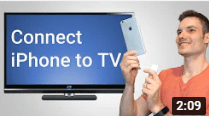
Learn how to connect your iPhone to your television using the lightning to HDMI adapter.
Lightning to HDMI Adapter on Amazon: https://amzn.to/2ZwRcVV
By connecting your phone to your TV, play games or watch videos on the big screen.
To connect your iPhone, first plug the lightning to HDMI adapter into your phone. Next, connect your HDMI cable. Now, make sure your HDMI cable connects to your TV. Once you’ve connected your phone to your TV, make sure that the input matches where you plugged in the HDMI cable. Once you make the connection, your phone should appear on your TV screen. To match the aspect ratio of your TV, rotate your phone sideways.
 Kevin Stratvert
Hi Kevin,
Could you give me videos about Gmail, Windows 10 and Windows 11 tricks?
LikeLike